
WhatsApp AI Agent
WhatsApp AI agents
for business conversations.
Build AI agents that understand your business, connect with your tools, take action, and engage customers automatically through WhatsApp.
WhatsApp Business
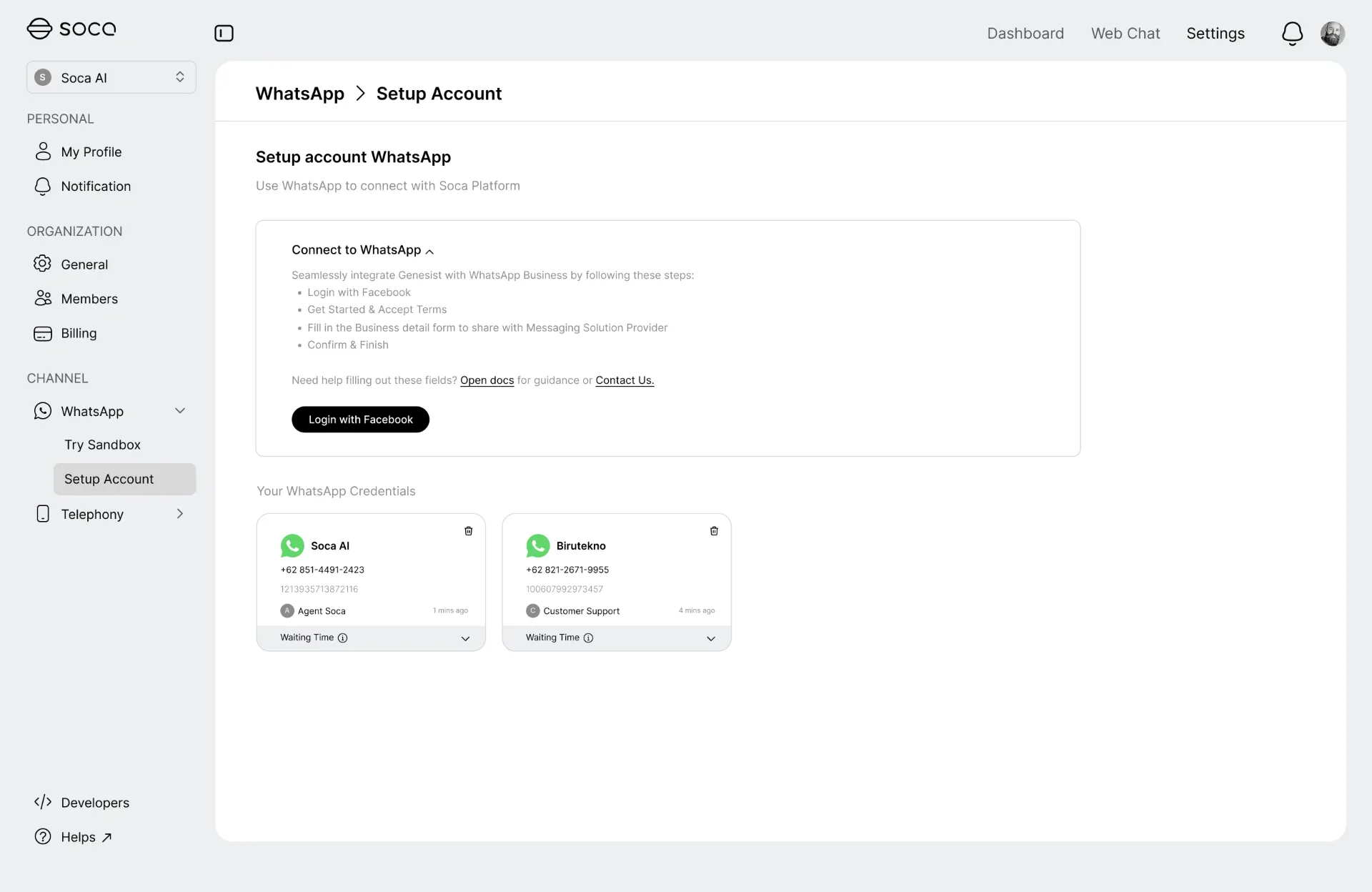
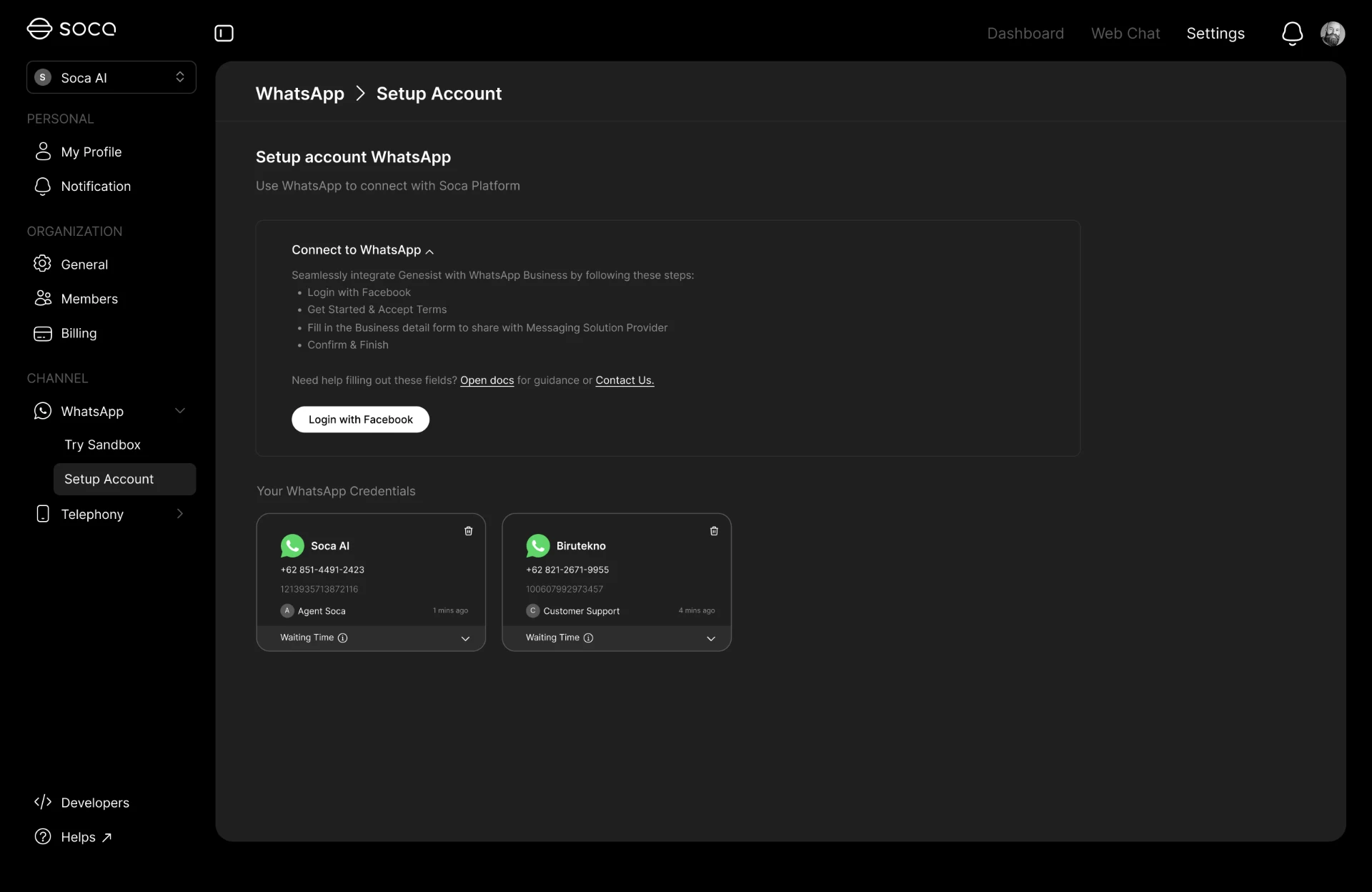
Connect your WhatsApp Business.
Connect your existing WhatsApp Business account and turn WhatsApp into an AI-powered customer and sales channel.
Run several business numbers from one workspace, with an AI agent assigned to each account and every conversation kept under the same governance model.
- WhatsApp Business Connection
- Multiple Accounts
- Business Messaging
- AI Agent Integration
Agent Studio
Build AI agents your way.
Create, configure, and deploy customizable AI agents with prompts, knowledge, tools, workflows, and business rules.
Business teams change how the agent behaves — its instructions, personality, and the actions it may take — without waiting on engineering.
- Prompt Builder
- Knowledge Base
- Tool Calling
- Workflow Configuration
- Agent Instructions
- Custom Personality
Knowledge & Tools
Give your agent knowledge and tools.
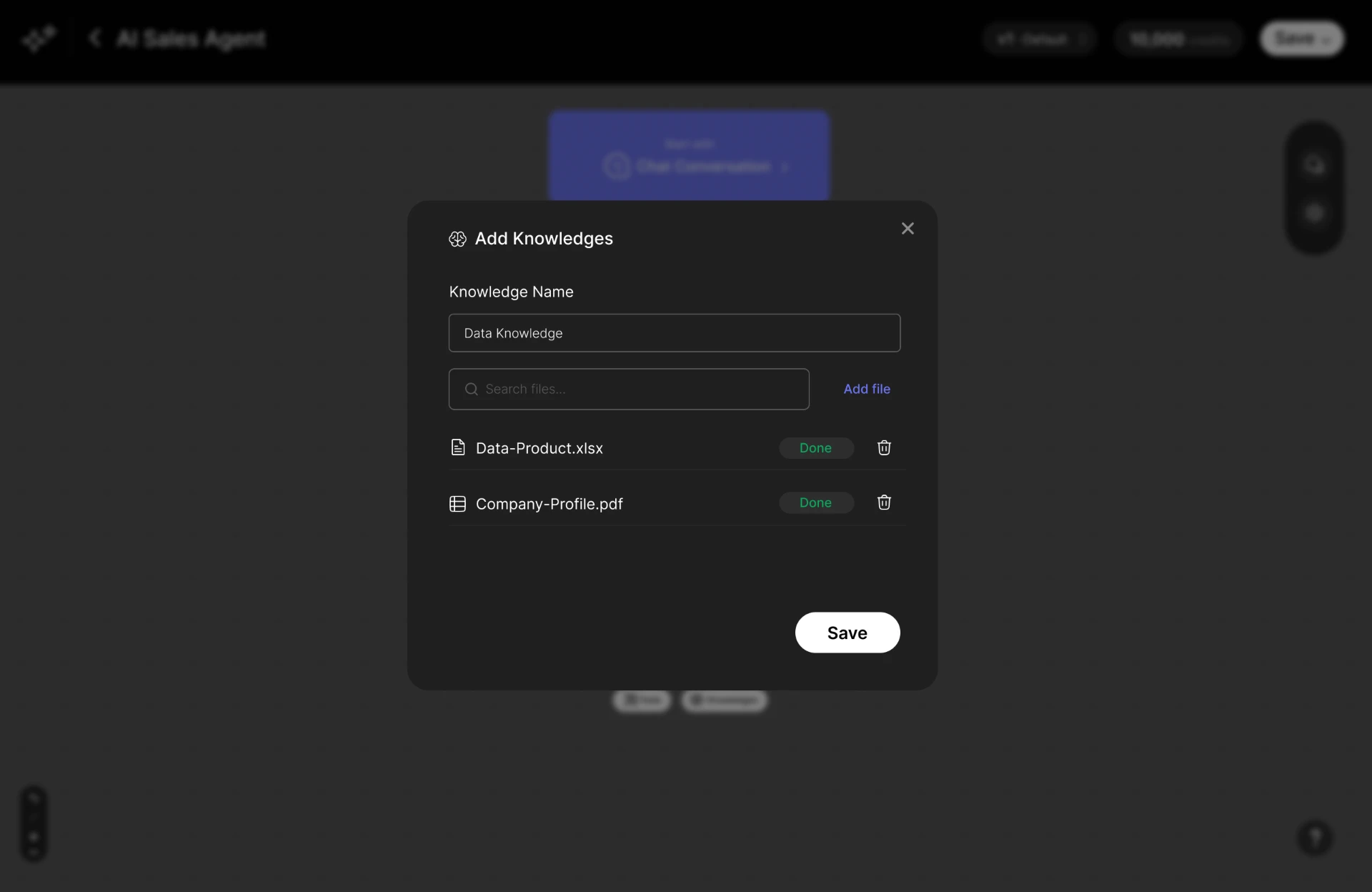
Connect your agent to business knowledge and external tools so it can understand context and perform useful actions during conversations.
- Knowledge Base
- Product Information
- Shopify
- Google Calendar
- Google Sheets
AI Actions
Go beyond conversation.
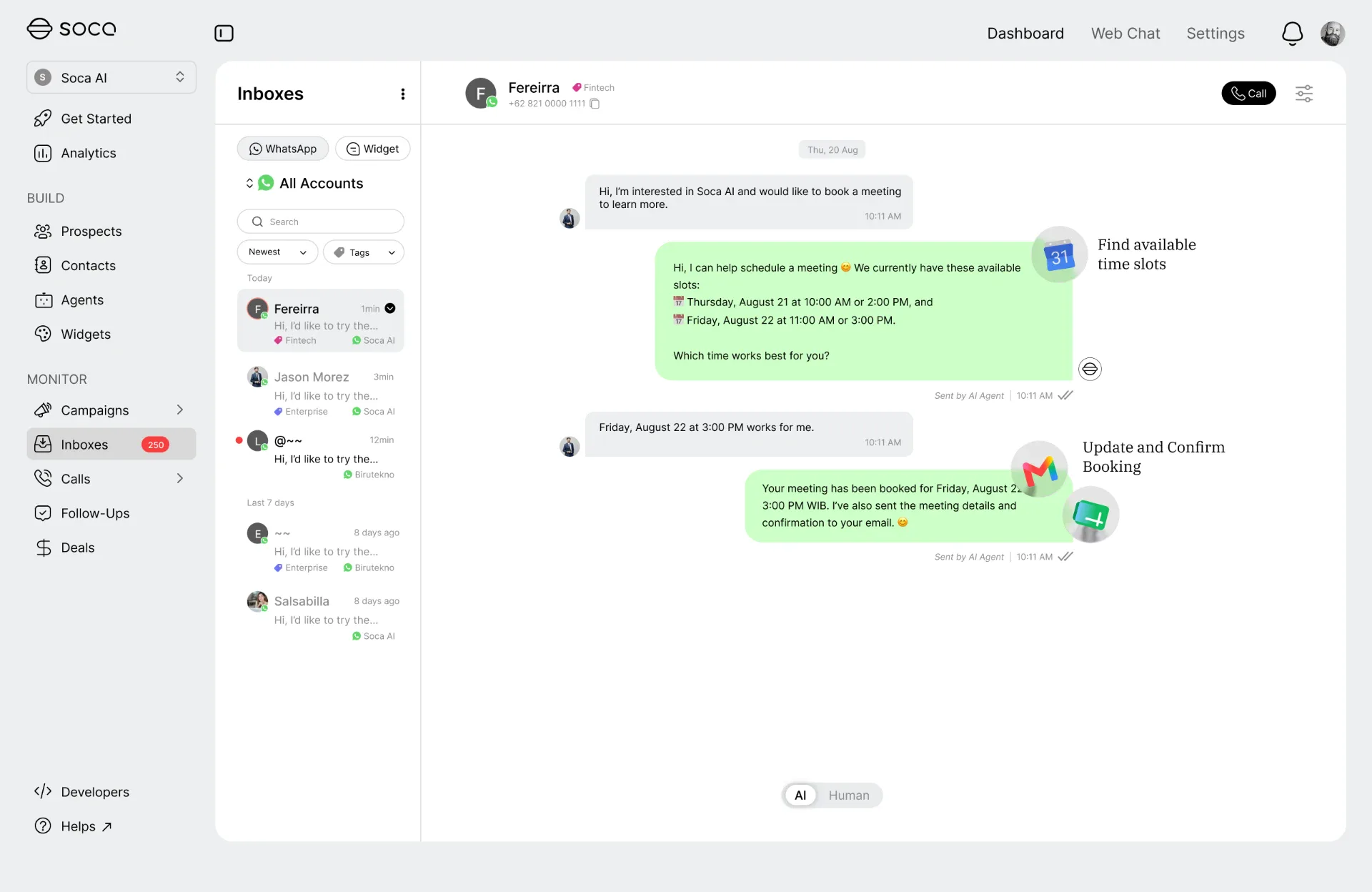
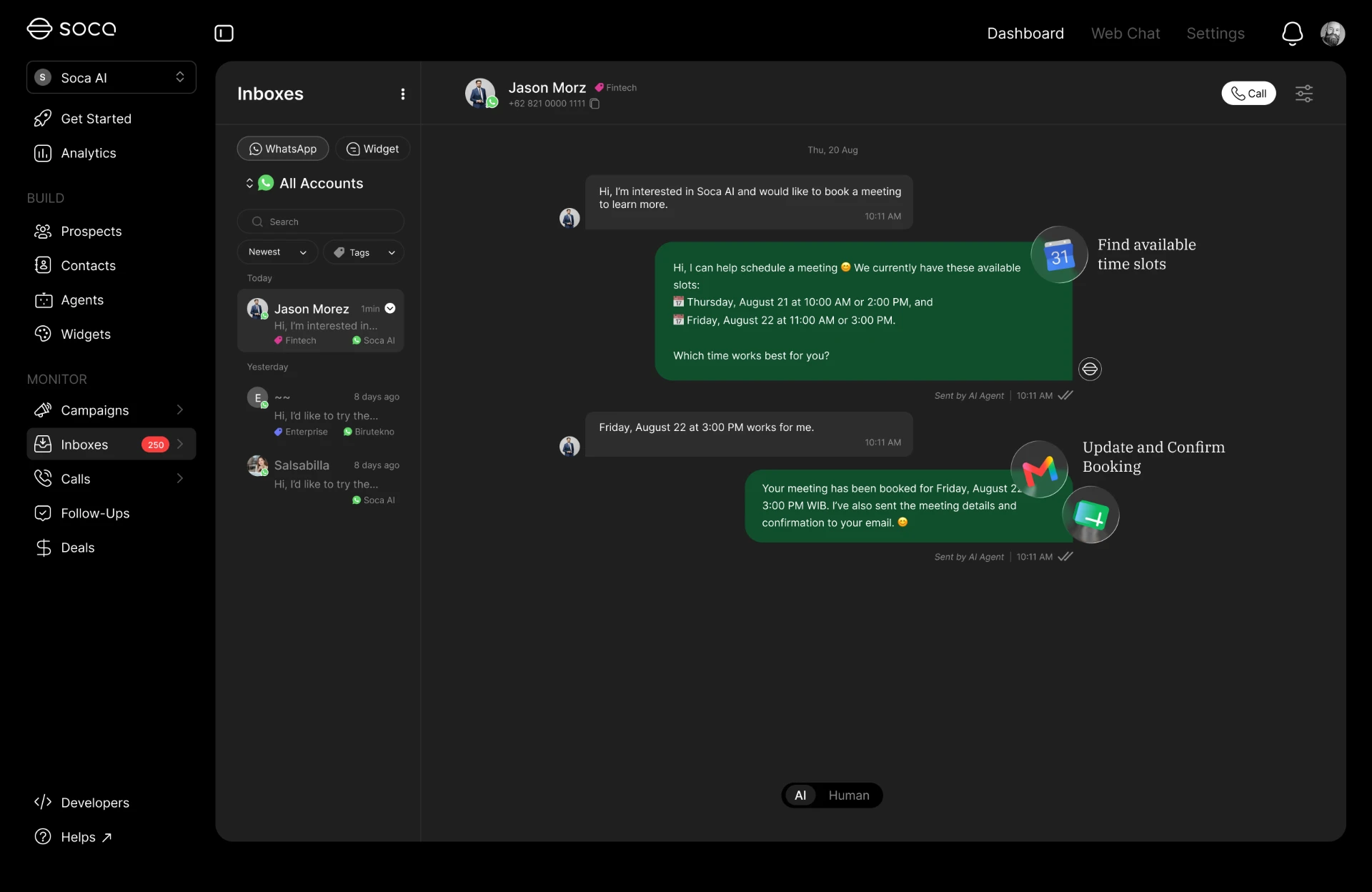
AI agents can use connected tools to perform actions directly from WhatsApp conversations.
WhatsApp to Google Calendar for a booking, to email for a confirmation, to Google Sheets for a data update, or to Shopify for product information — the conversation ends with work completed, not just an answer.
- Book Appointments
- Send Email
- Update Google Sheets
- Access Shopify
- Trigger Workflows
- Execute Business Actions
Virtual Try-On
Let customers try before they buy.
Connect products from Shopify and let customers experience AI-powered virtual try-on directly through WhatsApp.
Inbox
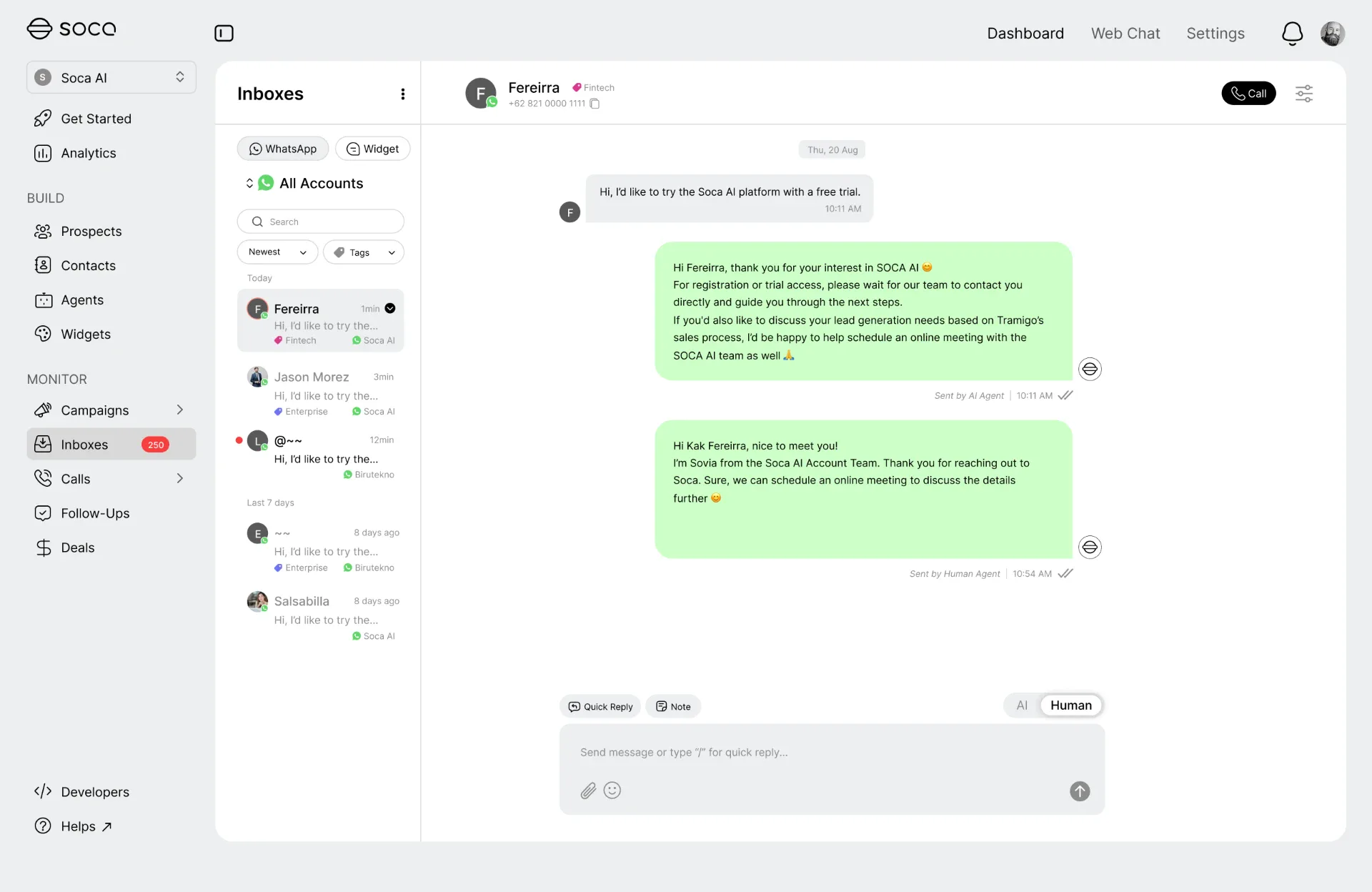
One inbox for every customer conversation.
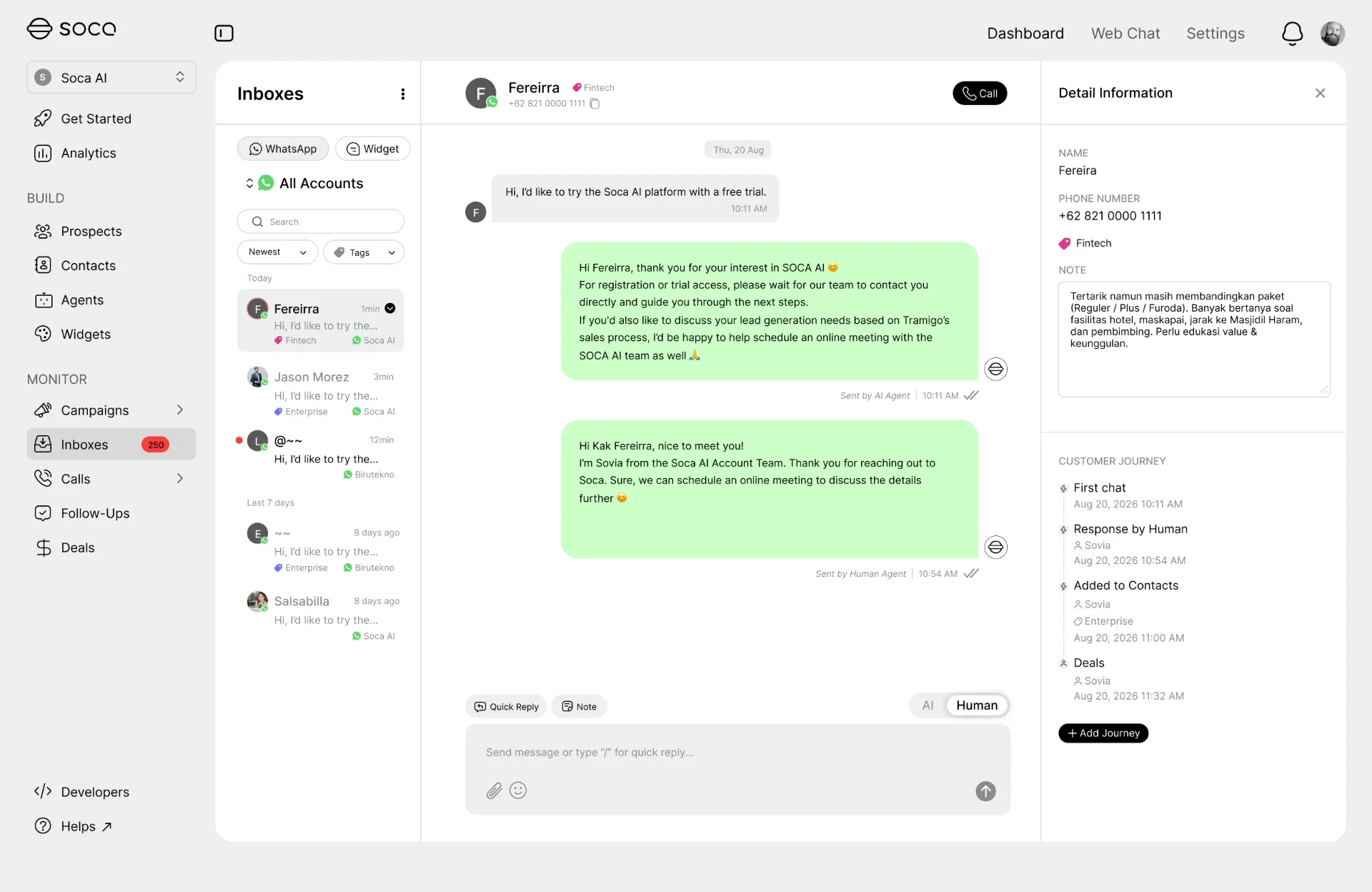
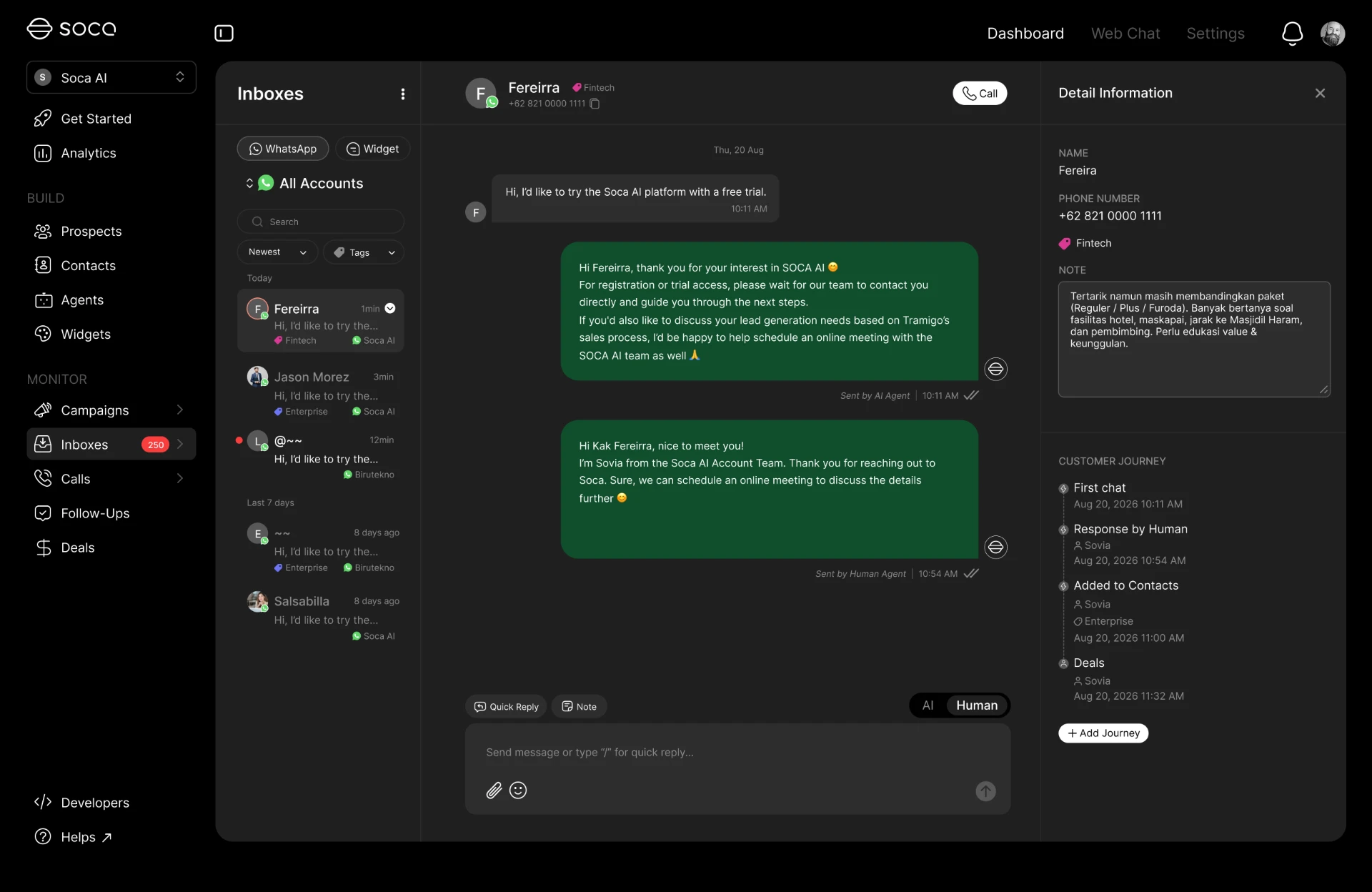
Manage conversations across multiple WhatsApp accounts while keeping customer context, conversation history, and journey in one powerful workspace.
- Multi-account Inbox
- Customer Profiles
- Conversation History
- Customer Journey
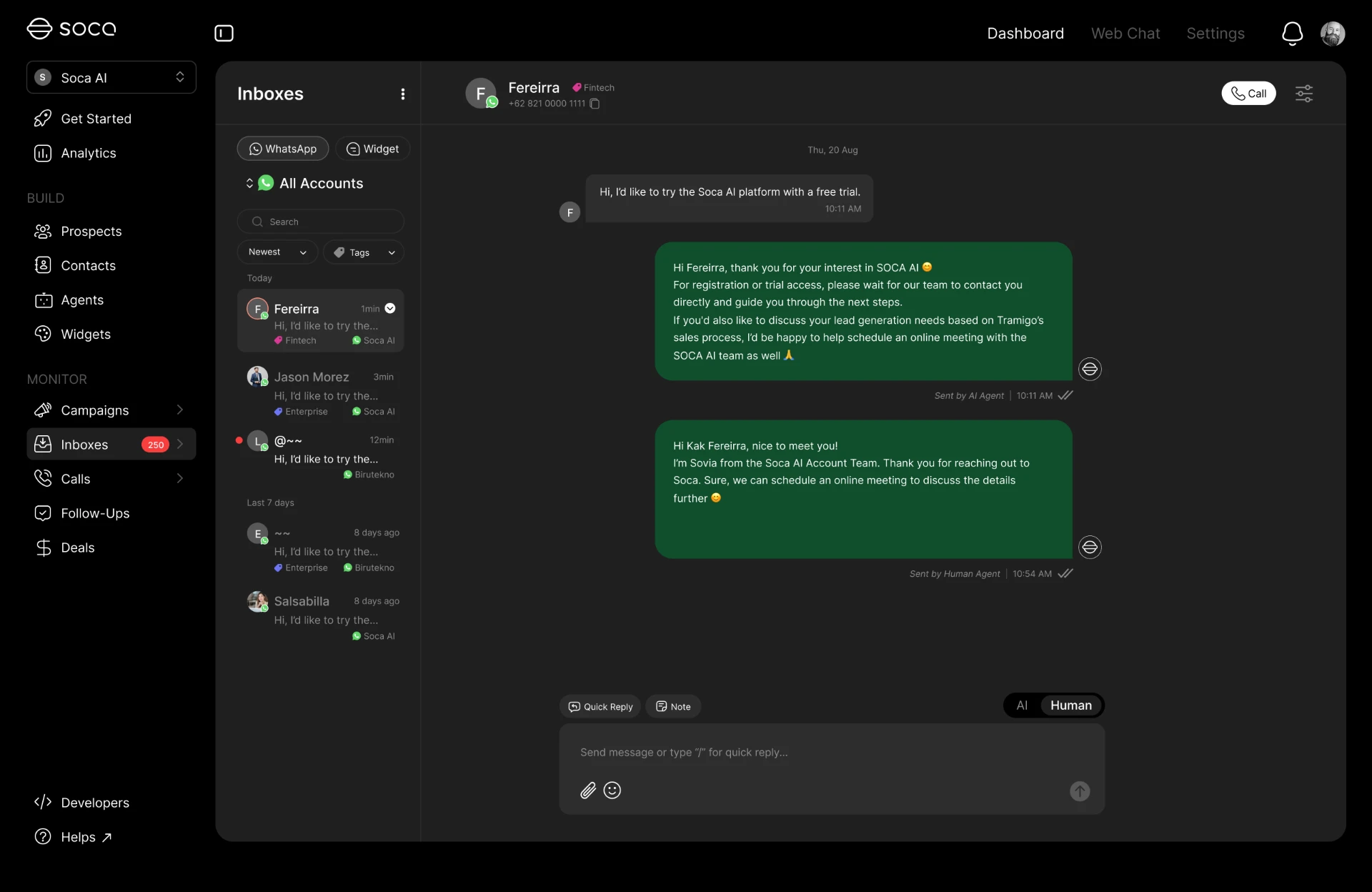
- AI / Human Mode
- Conversation Management
Human Handoff
AI when it can.
Humans when they should.
Switch conversations from AI to human agents whenever a customer needs personal assistance.
Broadcast
Launch campaigns at scale.
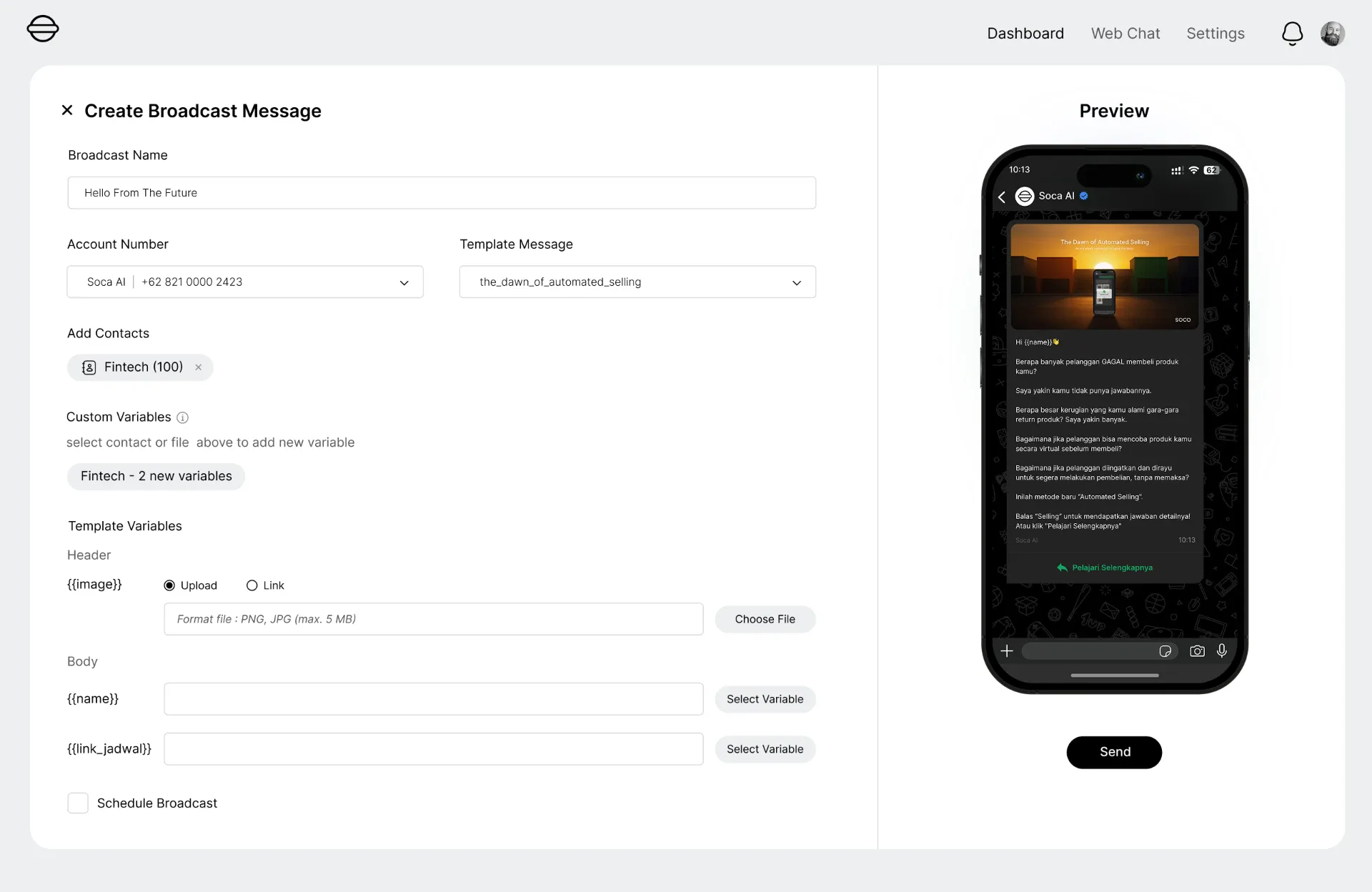
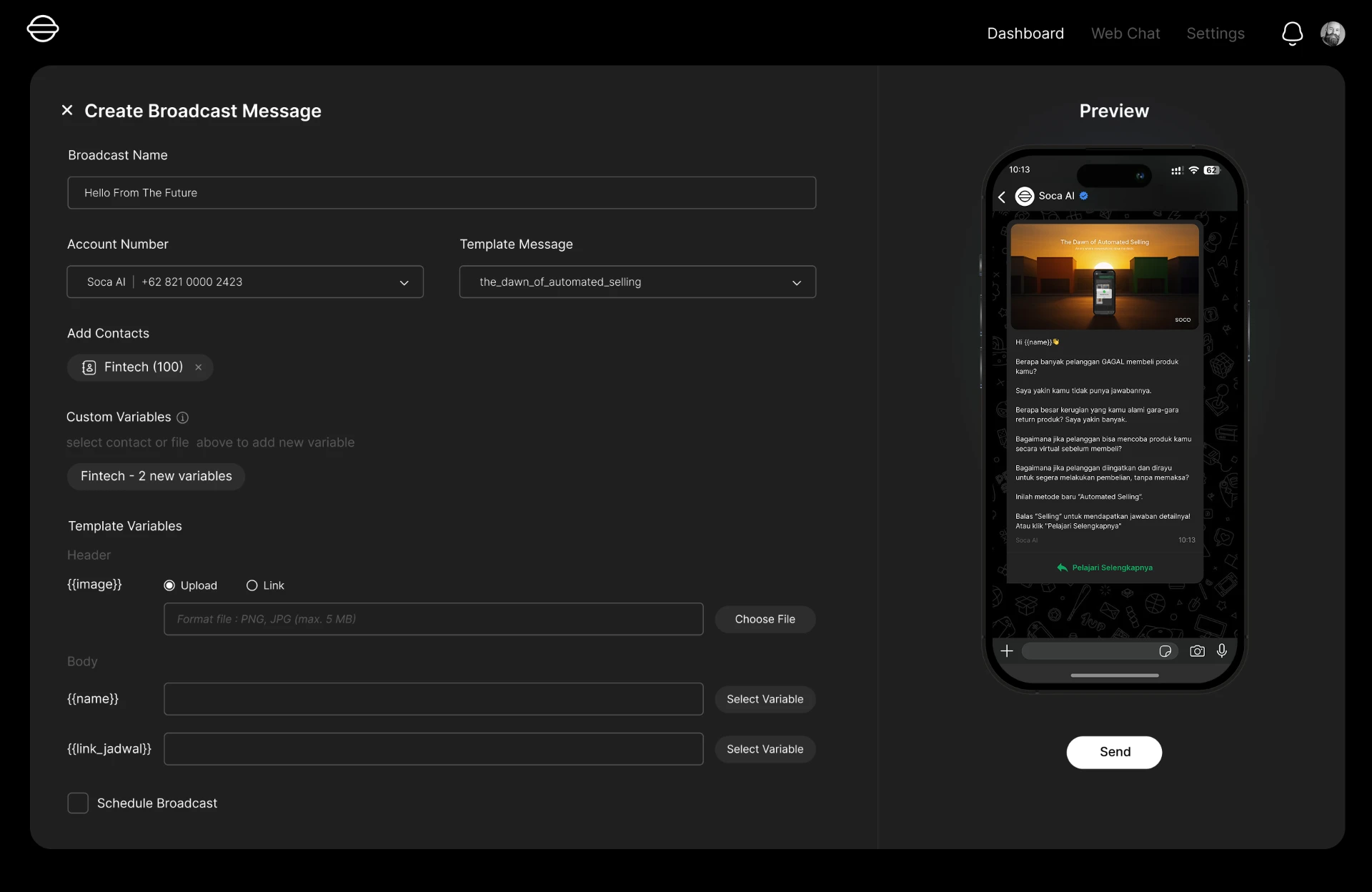
Create WhatsApp broadcast campaigns, schedule messages, reach selected contacts, and monitor campaign performance from one workspace.
- Contact Selection
- Campaign Creation
- Scheduling
- Broadcast
- Campaign Monitoring
- Response Monitoring
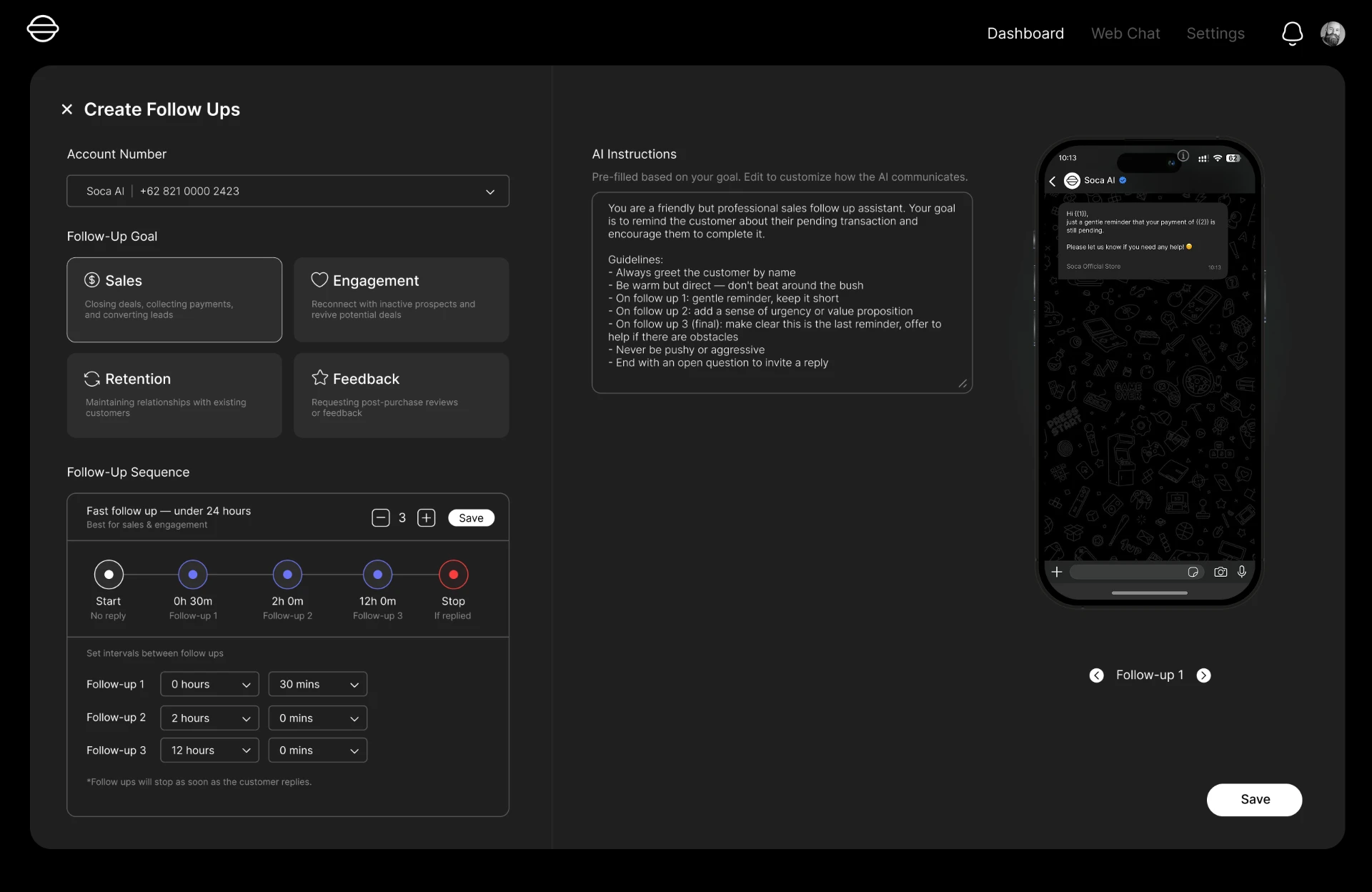
Auto Follow-Up
Follow up automatically.
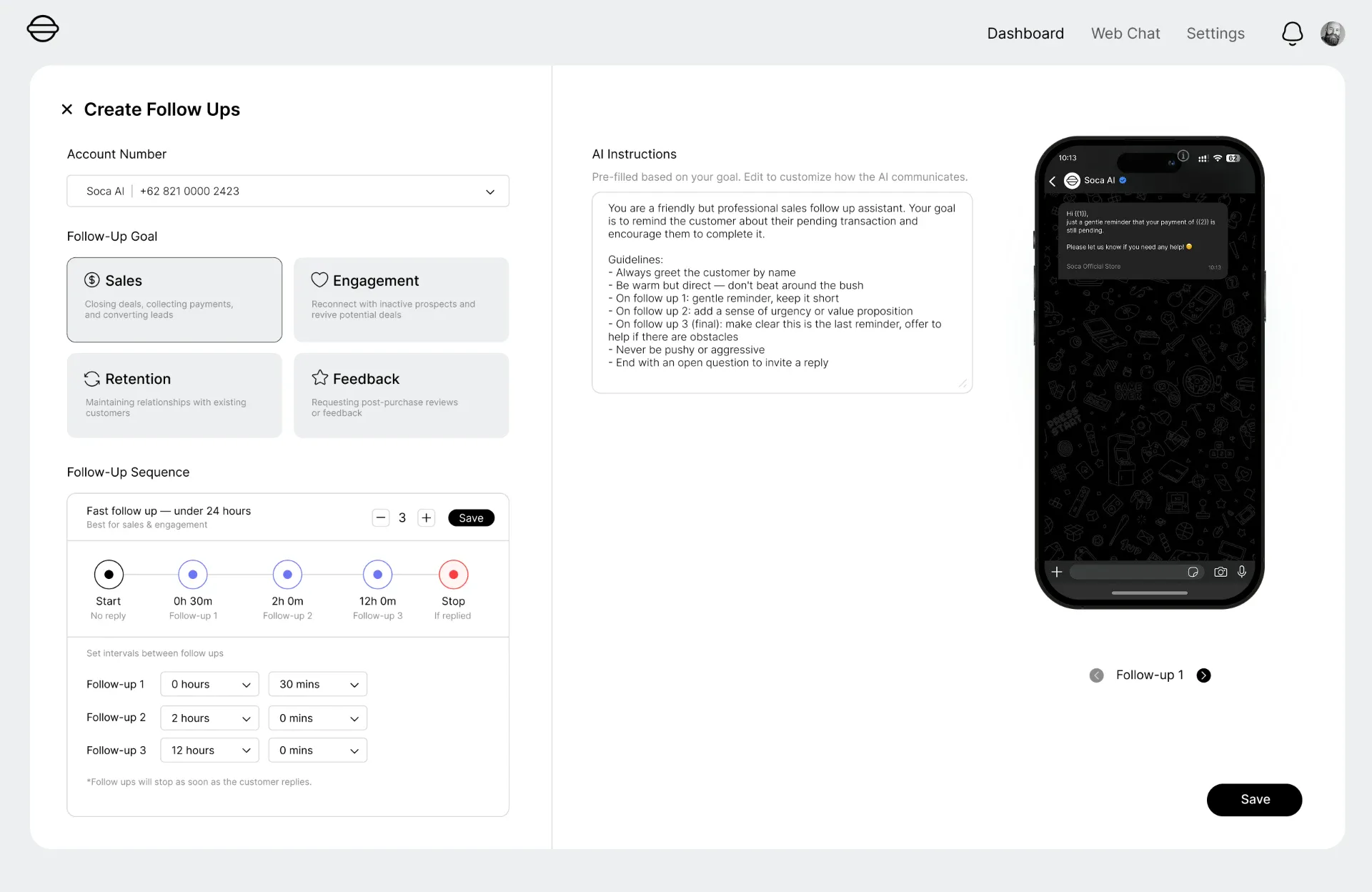
Give your agent an instruction and let AI create personalised follow-up sequences based on customer context and previous conversations.
- Natural Language Instructions
- AI-generated Sequences
- Personalised Messages
- Automated Follow-up
- Conversation Context
- Sequence Monitoring
Contact Management
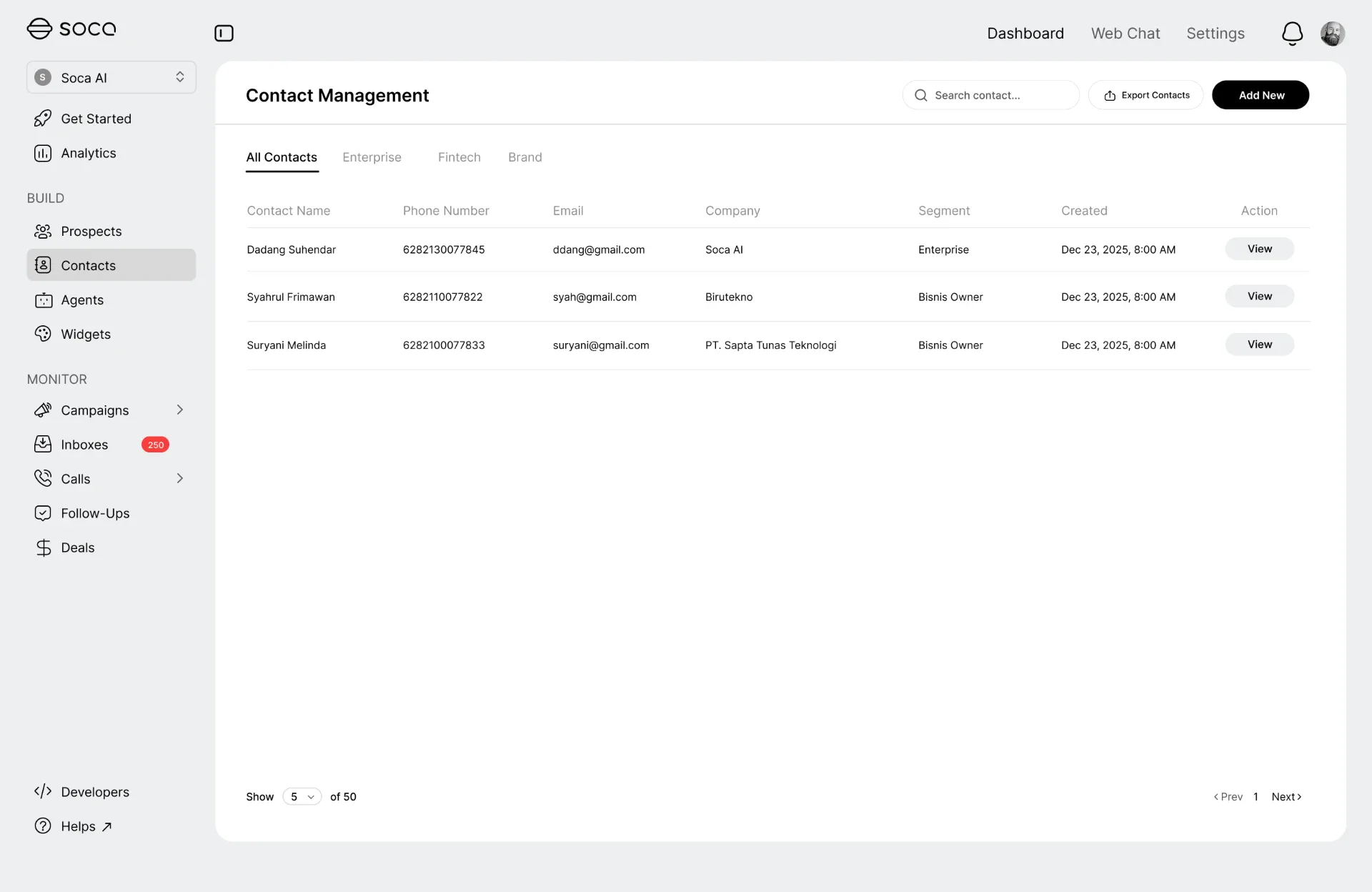
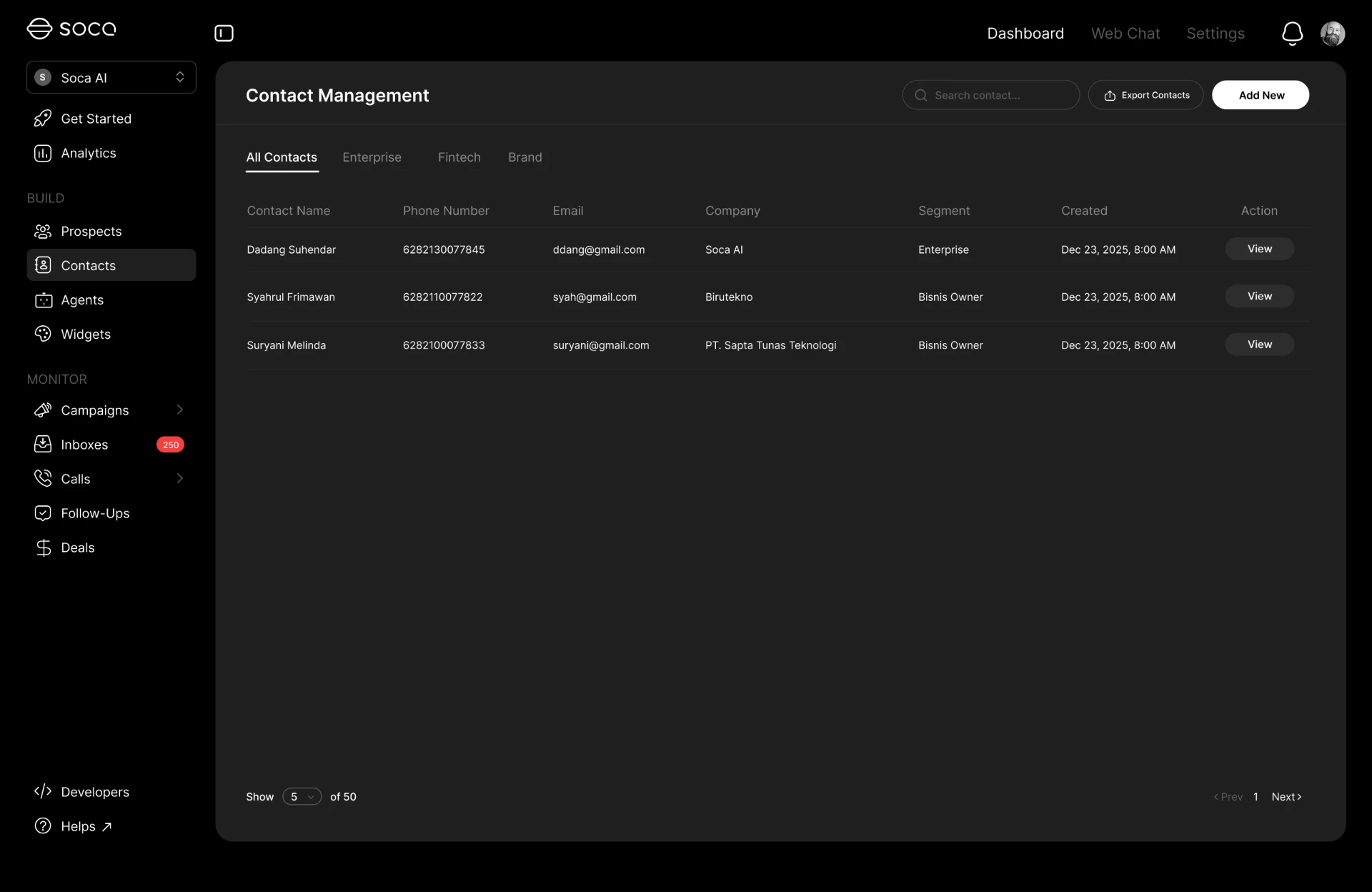
Know every customer.
A complete contact database for WhatsApp: build rich profiles with custom attributes, organize them with labels and tags, and group them into dynamic segments you can filter, import, and export at any time.
Pair it with B2B customer data to enrich every WhatsApp contact with company and decision-maker context.
- Contact Profiles
- Custom Attributes
- Labels & Tags
- Segmentation
- Lists & Filters
- Import & Export
Customer Journey
See the journey behind every conversation.
Understand how customers move from their first interaction to qualification, follow-up, booking, and conversion.
Why businesses move to AI-powered WhatsApp.
Customers already use WhatsApp to talk to businesses. The channel is not the problem — the operation behind it is. Most teams still run WhatsApp on manual replies, repetitive questions, office hours, and several disconnected accounts.
Follow-ups are done by hand, customer context is fragmented across devices and spreadsheets, and campaigns live in a separate tool with no link back to the conversation that follows.
An AI agent changes that. It handles conversations continuously, answers from business knowledge, uses connected tools, performs actions such as bookings and updates, follows up automatically, and hands the conversation to a human when a person should take over.
The outcome is commercial: faster response, 24/7 availability, a consistent customer experience, higher sales productivity, automated follow-up, better customer visibility, and conversations that scale without adding headcount — the same pattern behind sales automation and the AI call center.
Where WhatsApp AI Agents create impact
Enterprise use cases across customer service, sales, and marketing.
Customer Support
Answer questions, provide information, and resolve common customer requests automatically on WhatsApp.
Sales
Qualify leads, recommend products, answer questions, and move prospects toward conversion.
Appointment Booking
Check availability and book appointments directly through WhatsApp conversations.
E-commerce
Help customers discover products, access Shopify information, and support product experiences such as virtual try-on.
Customer Follow-up
Automatically follow up with customers using personalised sequences built from conversation context.
Marketing Campaigns
Run WhatsApp broadcast campaigns and monitor engagement from one workspace.
Lead Qualification
Understand customer intent, collect information, and qualify prospects before human handoff.
Customer Engagement
Maintain ongoing conversations and customer relationships through WhatsApp.
Powered by Genova
One AI communication platform behind every conversation
Genova powers Soca's AI-driven customer and sales conversations across WhatsApp, voice, phone, and other connected channels — on the same governance and deployment model, in the cloud or fully on-premises.
WhatsApp AI Agents
AI agents that understand customers, use knowledge, access tools, and take action.
AI Conversations
Natural, contextual conversations powered by enterprise AI.
Business Actions
Connect AI conversations with calendars, email, Shopify, Google Sheets, and other business systems.
Automation
Automated campaigns, follow-ups, workflows, and customer engagement.
Related: AI Call Center, Sales Automation, Data Intelligence, and the B2B Customer Database.
WhatsApp AI Agent questions, answered
What is a WhatsApp AI Agent?
A WhatsApp AI Agent is an AI agent connected to a WhatsApp Business account that talks with customers automatically. It understands the message, uses your business knowledge, calls connected tools when needed, replies in the conversation, and hands over to a human agent when a person should take it.
How does a WhatsApp AI Agent work?
An incoming WhatsApp message is interpreted by the agent against its prompt, knowledge base, and available tools. The agent decides on a response or an action — such as looking up product information or creating a booking — and replies in the same conversation, keeping the full customer context.
Can AI agents connect to WhatsApp Business?
Yes. You connect your existing WhatsApp Business account, and one or multiple accounts can be managed from the same workspace with an AI agent assigned to each.
Can I customize the AI agent?
Yes. Prompts, instructions, personality, knowledge, tools, workflows, and business rules are all configurable in Agent Studio, so business teams can change agent behaviour without engineering work.
Can the AI agent use my business knowledge?
Yes. Add product information, policies, and documents to the agent's knowledge base so answers stay grounded in approved business content.
Can a WhatsApp AI Agent use external tools?
Yes. Agents can call connected tools such as Shopify, Google Calendar, email, and Google Sheets during a conversation to retrieve information or perform an action.
Can the AI agent book appointments?
Yes. With Google Calendar connected, the agent can check availability and book an appointment directly inside the WhatsApp conversation.
Can the AI agent send emails?
Yes. Email is one of the connected tools an agent can use, so it can send a confirmation, summary, or document as part of the conversation flow.
Can the AI agent connect to Shopify?
Yes. Shopify can be connected so the agent can access product information and support product experiences such as virtual try-on inside WhatsApp.
Can AI handle WhatsApp customer service?
Yes. The agent answers repetitive questions, provides information, and resolves common requests continuously, escalating to a human agent when the request needs personal assistance.
Can AI qualify leads on WhatsApp?
Yes. The agent can understand intent, ask qualifying questions, collect information, and pass a qualified conversation to a sales person with the full history attached.
Can AI run WhatsApp broadcast campaigns?
Yes. You can select contacts, create a campaign, schedule it, broadcast the message, and monitor delivery and responses from the same workspace.
Can AI automatically follow up with customers?
Yes. Give the agent an instruction in natural language and it generates a personalised follow-up sequence based on customer context and previous conversations, then runs and monitors it.
Can conversations be transferred to human agents?
Yes. Any conversation can be switched from AI mode to human mode in the inbox, and the human agent continues with the complete conversation history and customer profile.
Can WhatsApp AI Agents be used for enterprise Sales & CX Automation?
Yes. WhatsApp AI Agents are used for enterprise sales and customer experience automation alongside other Soca AI channels, with multi-account management, campaign tooling, follow-up automation, and customer context in one workspace.
Ready to automate every WhatsApp conversation?
Build AI-powered customer and sales conversations that understand, respond, take action, and follow up automatically.